Free Temp mail & Disposable email since day one!
Available for 30 days Many domains (55) Use your own domain Password protection possible Forward & reply to emails Send emails RSS feed and much more...

Features at a glance
-
Available for 30 days
All emails remain available for 30 days. You can also delete them yourself.
Available to everyone -
55 Domains available
Choose your mailbox from 55 Domains. New ones are added regularly.
Available to everyone -
Emails with file attachments
Receive text and HTML emails including file attachments.
Available to everyone -
Protect mailboxes
Protect your mailboxes for selected domains with a password.
Available in the free TrashMailr account -
Use your own domains
Make your own domains available to the community or use them privately for yourself.
Available in the free TrashMailr account -
Save & print emails
Save your emails as an EML file or print them out.
Available in the free TrashMailr account -
Show email header
Get more information about an email by viewing its header.
Available in the free TrashMailr account -
Send email
Send your own emails, including file attachments, from any mailbox.
Available with premium access -
Forwarding & replying to emails
Reply to received emails or forward them to yourself.
Available with premium access -
Using RSS feeds
Get notified of new emails in your inbox via RSS & ATOM feeds.
Available with premium access -
Access via bookmark
Access your inbox directly via a link that you can bookmark.
Available in the free TrashMailr account -
For all devices
Use TrashMailr.com seamlessly on desktops, tablets and smartphones.
Available to everyone
What is TrashMailr.com?
TrashMailr.com is a service for so-called disposable email addresses or TrashMail addresses .
Choose an email alias and a domain, your mailbox is available immediately - no registration required, completely non-binding, anonymous and free!
With over 20 years of experience and expertise, TrashMailr.com is one of the oldest trash email services on the internet. Founded in 2004 as Discardmail.com, later Spambog.com, Discard.email, and Tempr.email, the service has been available as TrashMailr.com since 2025.
Many disposable email services delete emails after just a few hours or 24 hours. With TrashMailr.com, your emails remain in your inbox for up to 30 days, so you can easily find confirmation links, login details, invoices, or downloads.
In short: A disposable email address (TrashMail, Temp Mail, one-way email) is a temporary email address that you only use for a short time.
It protects your private mailbox from spam and unnecessary newsletters if you don't fully trust a website.
This is how your disposable email works
-
Choose mailbox
Set an email alias and select one of the 55 domains.
Your mailbox is available immediately - no registration is required to retrieve your emails. -
Enter your TrashMail address on the target page.
Use your generated disposable email address to register on online shops, portals, forums, competitions or for downloads -
Anywhere you don't want to give up your private mailbox. -
Check your mailbox and read emails
Access your inbox via the login box. You can read emails in text and HTML, download file attachments, and use additional features if you have a TrashMailr account or a premium subscription.
Use cases for TrashMails
1 Registrations on unknown websites
You want a download, a voucher, or a whitepaper, but you're unsure what happens to your email address? Use a TrashMail address, confirm the link, and you're done. Your private inbox stays clean.
2 Competitions, one-off promotions, surveys
Many sweepstakes send out newsletters continuously. Enter, let the confirmation email land in TrashMailr.com, and then simply forget about the address.
3 Test accounts for tools, apps and SaaS offerings
You test many tools or services for work. Disposable email addresses help you keep test accounts separate from your real logins. However, you should manage ongoing subscriptions, invoices, or business accounts with your actual email address.
4 Forums, comments and communities
Many forums require a valid email address for registration. If you only want to ask one question, a disposable email address will suffice. For long-term community accounts, a permanent email address is recommended.
5 Download portals, coupon and deal sites
If you only need a download once and don't want to see promotional emails for every offer for weeks, use disposable emails and keep your main mailbox clean.
6 Test your newsletter before you activate your real mailbox.
You want to know how often a company sends its newsletter before you grant access to your private email account. Run it through a TrashMailr.com address for the first few weeks and then decide if switching to your real email address is worthwhile.
Use your own domains
Do you own one or more domains that you no longer use? Then make them available to all users on TrashMailr.com or use them privately for yourself. If you make your domains available to all users, you will receive free advertising space in the mailboxes of your domains upon request.
Make your domains available to all users
To make your domains available to all users, you need a free TrashMailr account . Within your TrashMailr account, you can then add as many domains as you like via the "My Domain" menu item. If desired, you can also upload your own promotional materials, which will then be displayed in the mailboxes of your domains. Once the MX records for your domains have been correctly configured, your domains will be published automatically.
Use your domains privately, just for yourself.
Blocking and blacklisting domains that provide disposable email addresses is a well-known problem. However, if you use your own domain anonymously and privately, this problem can be circumvented, as this domain is never published on TrashMailr.com and its existence remains secret. To use domains privately and anonymously, you need a free TrashMailr account combined with a premium subscription.
The latest blog articles
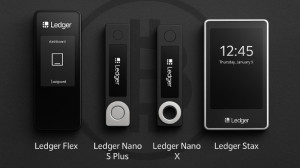
Crypto Hardware Wallet: Ledger Products compared
Comparison of Ledger hardware wallets (Flex, NanoSPlus, NanoX, and Stax): features, security, pricing, and user profiles. Find your perfect crypto self-custody solution.
NordVPN - Your Shield for Online Security & Anonymity
Discover how NordVPN protects you from surveillance, tracking, and data theft. Secure, fast, and easy to understand - including tips for maximum online privacy.

HideMyIP - Affordable Tool to Hide Your IP Address
Protect your privacy with HideMyIP - browse anonymously, hide your IP, and bypass geo-blocks. Perfect when combined with Temp Mail for maximum anonymity.
Frequently Asked Questions / FAQ
What is a disposable email address or trash email?
A disposable email address is a temporary email address that you only use for a short time. It receives emails, for example for registrations or downloads, and thus protects your real mailbox from spam and unnecessary newsletters.
Is TrashMailr.com free?
Yes. Creating and using disposable emails, as well as reading incoming emails, is free and possible without registration. Additional features require a TrashMailr account or a premium subscription.
Do I need to register to use disposable email addresses?
No. You can use mailboxes immediately and retrieve emails without creating an account. A TrashMailr account is worthwhile if you want to use spam lists, password protection, your own domains, and other convenient features.
How long are emails stored at TrashMailr.com?
Emails are stored in your mailbox for 30 days and are then automatically deleted unless you delete them yourself beforehand. You can continue using the mailbox itself or ignore it if you no longer need it.
Can I use the same disposable email address multiple times?
Yes. A mailbox always exists, so you can use the same address multiple times for registrations or logins. Just keep in mind that emails are deleted after 30 days.
How anonymous is TrashMailr.com?
Disposable email addresses primarily help protect your real inbox and avoid revealing your primary email address everywhere. No service can guarantee complete anonymity. Details regarding data processing can be found in the privacy policy of TrashMailr.com.
Is the use of TrashMail legal?
Disposable email addresses are generally legal as long as you don't use them for fraud, abuse, or other illegal activities. Use TrashMailr.com to protect your inbox-not to shirk responsibility.
Is TrashMailr.com blocked by some websites?
Some services block well-known disposable email domains. This is an issue with all providers. TrashMailr.com relies on many domains and community domains so that you can use alternative addresses if a domain should ever be blocked.
Can I use TrashMailr.com on my mobile device?
Yes. You can use TrashMailr.com in your mobile browser. The interface is responsive, so you can quickly open disposable emails on the go.
How is TrashMailr.com financed?
The basic service is free. TrashMailr.com is financed through advertising and premium subscriptions with extended features.
How secure are my emails from unwanted eavesdroppers?
Security depends primarily on your email alias. The more random and longer the part before the @ symbol, the harder it is to guess your mailbox. Additionally, you can set a password for selected domains to better protect access.
How many email aliases am I allowed to use?
You can use as many email aliases as you like. Simply create new mailboxes if you want to use separate disposable email addresses for different purposes.
What is an email alias (local part)?
The email alias, also called the local part, is everything before the @ symbol. For example: ALIAS@trashmailr.com. You can choose this alias freely or have it generated randomly.
How long will my password-protected inbox remain available?
A password-protected inbox will remain active for up to 90 days after your last login. Individual emails within it will continue to be automatically deleted after 30 days.
Are certain emails being blocked or not delivered?
No. Obvious spam will also be delivered. If an expected email doesn't arrive, please also check the spam list in your inbox - filter rules there may be preventing it from being received.
Is password protection for an inbox completely secure?
No password protection is 100% secure. Protection makes access more difficult, but it doesn't replace a highly secure solution for sensitive data. If you share bookmark links or RSS feeds, others can still access your mailbox.
I'm receiving spam that supposedly comes from TrashMailr.com - is that true?
TrashMailr.com does not send spam emails. However, spammers can forge any sender address to make it appear as if the email came from TrashMailr.com.